
MoveToPlay · Press kit
MoveToPlay press kit
MoveToPlay: Earn Screen Time is a screen time app for kids on iPhone, iPad and Apple Watch. Children earn screen time by exercising and by doing chores their parent approves. Minutes go into a bank that never expires, and children spend them on a timed play session or on a real-world reward the parent has priced in minutes. Parents who want it can also have MoveToPlay lock the apps they pick on the child’s iPhone or iPad until time has been earned, through Apple’s Family Controls. Locking is optional; with it off, play sessions run on the honour system with a visible countdown. There is no account, no location tracking, no microphone use, no ads, and no advertising or analytics SDKs.
How it works
- The parent sets it up. Add a child with a nickname and a broad age band, then create a parent code. There’s no account to make. iCloud is optional and is only used to keep a second device in sync.
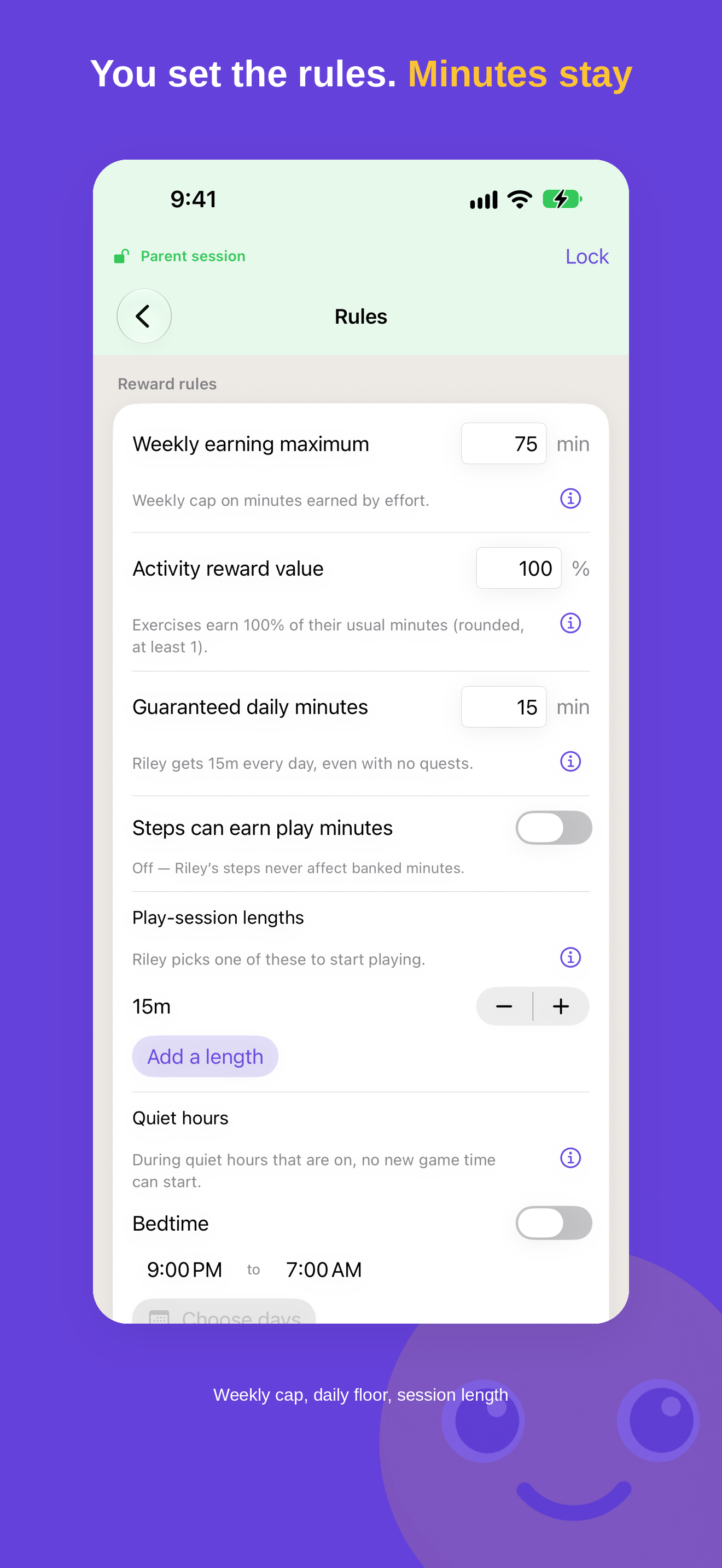
- The parent decides what minutes are worth: a weekly maximum on what a child earns through their own effort, how much activities pay, what each chore is worth and how often it repeats, which play session lengths exist, and optional guaranteed daily minutes (off by default).
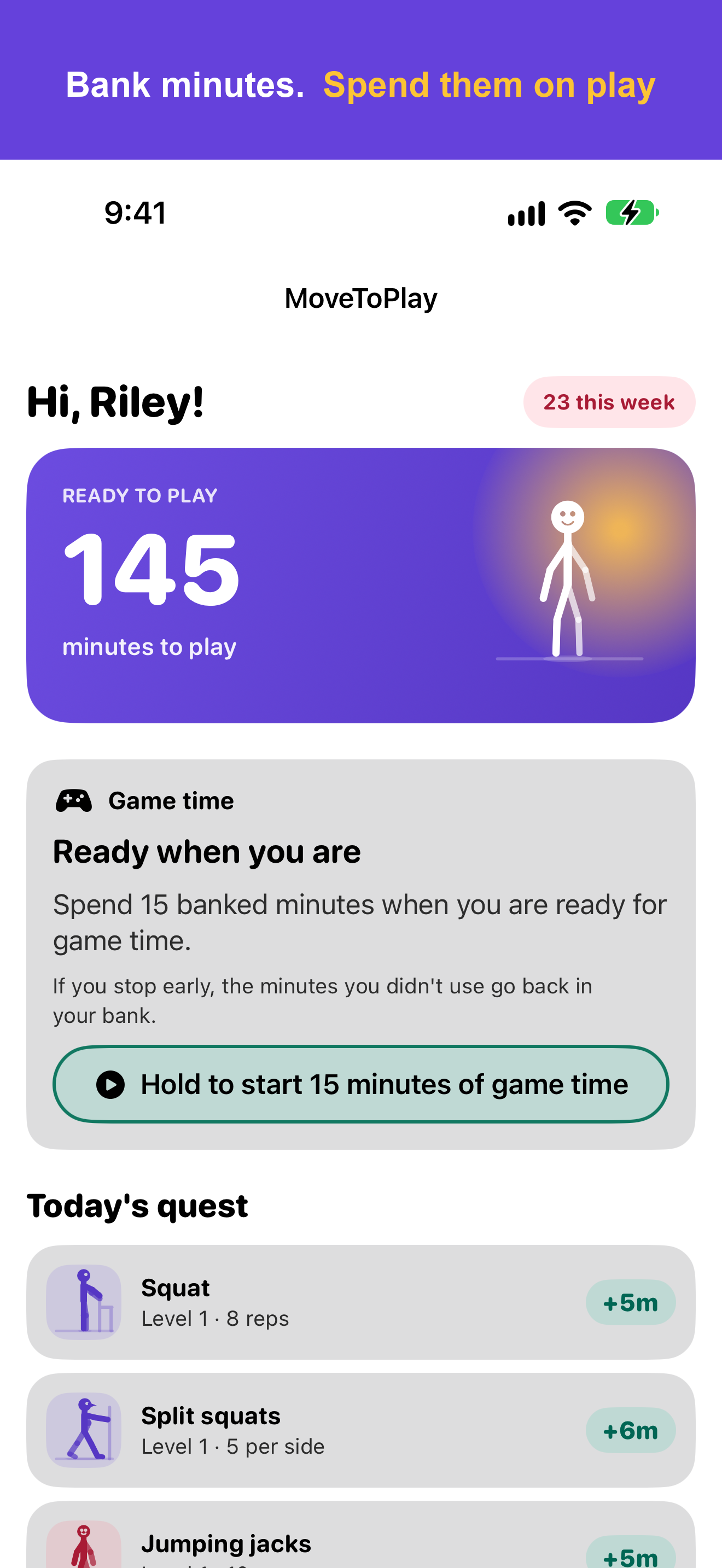
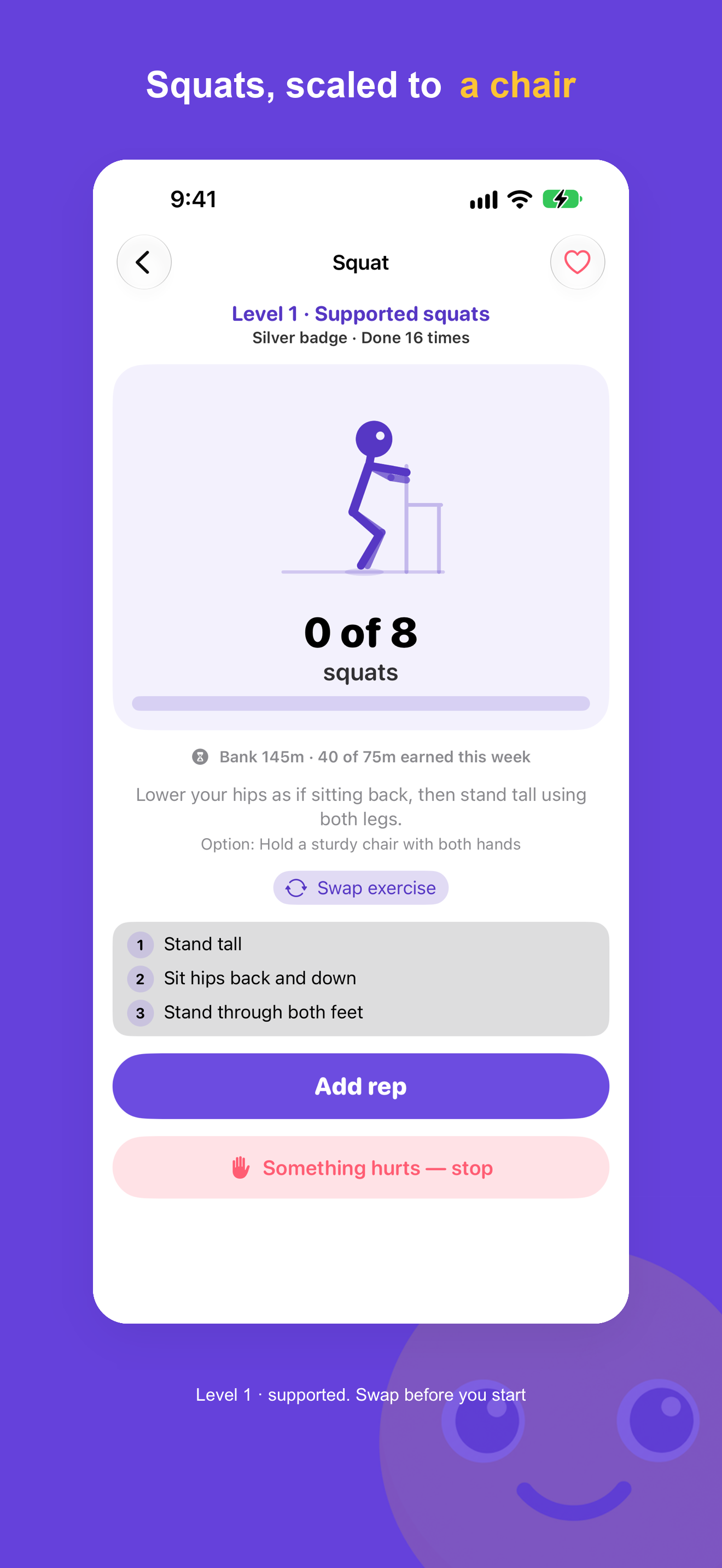
- The child moves. Each day there’s Today’s Quest: three real movements from strength, balance, cardio and recovery, including an easier version such as a chair-supported squat. The child can swap an activity before starting it, and can do a full quest on Apple Watch.
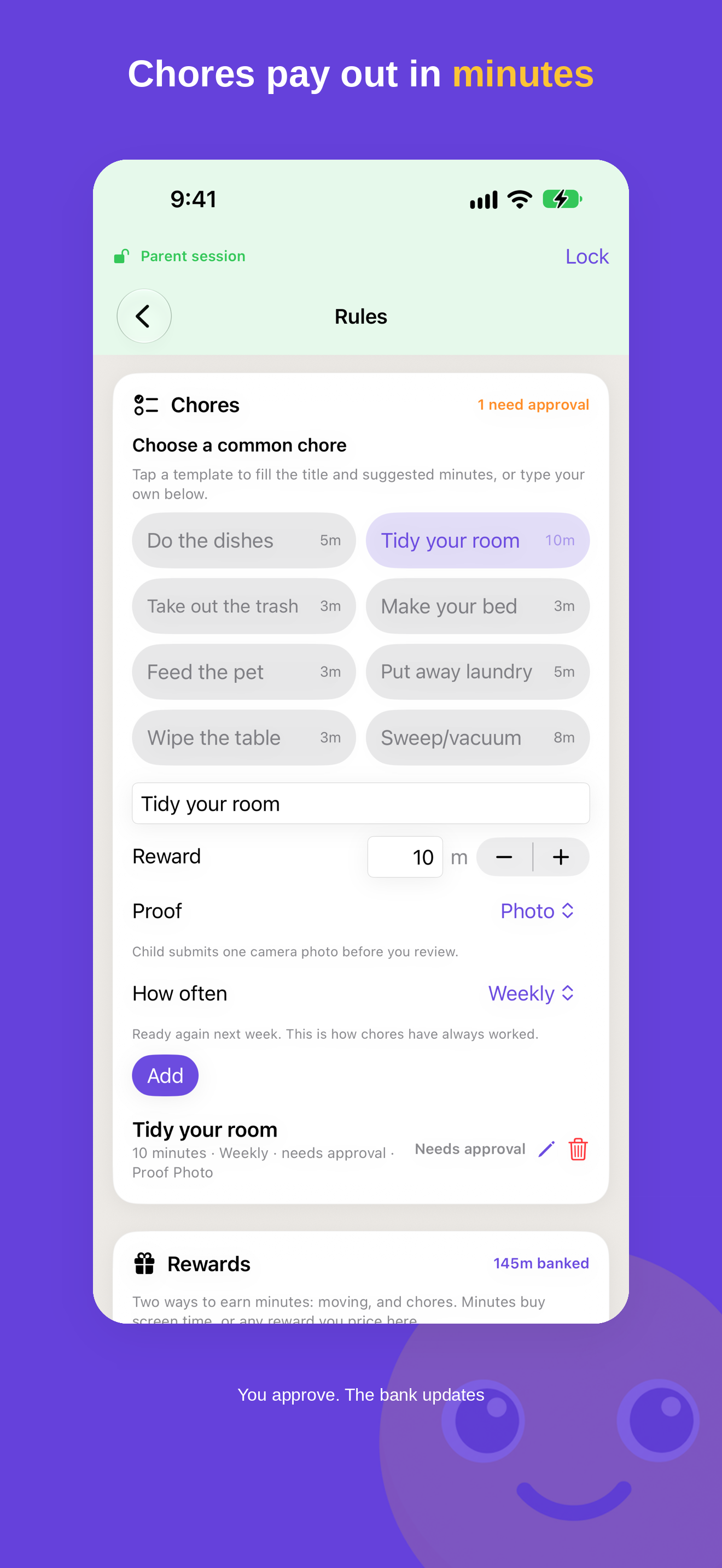
- Chores earn minutes too. The child taps “I did it” and the parent approves. If the parent turns on proof, the child adds a photo or short note first. Apple Health steps can also earn minutes if a parent turns that on, within a daily cap.
- Minutes are spent on play. A timed play session uses banked minutes. With “Lock selected apps” on, the chosen apps stay blocked until a session starts and lock again when the countdown reaches zero. End a session early and the unused minutes go back to the bank.
Key facts
- Name
- MoveToPlay: Earn Screen Time
- Developer
- Duke & Duke (seller: Duke & Duke Commodities Brokers LLC)
- Category
- Health & Fitness (also listed under Lifestyle). Language: English.
- Platforms
- iPhone and iPad with iOS 18 or later, plus a native Apple Watch app (watchOS 11 or later). On Apple Watch, a child can do a full quest without picking up the phone.
- Mac
- The iPad version can be downloaded from the Mac App Store on an Apple silicon Mac (macOS 15 or later). Apple lists it as designed for iPad and not verified for macOS. Mac use has not been tested by Duke & Duke, and a Mac cannot lock apps.
- Android
- None. There’s no Android version and nothing on Google Play.
- App locking
- Optional. Works on iPhone and iPad, through Apple’s Family Controls. Apple Watch and Mac can’t lock apps. Earning, banking and spending minutes all work without it.
- Account
- None, and no sign-up. A parent code is set on the device.
- Location
- None. The app has no location permission and no location code: no live location, no location history, no geofencing.
- Microphone
- Not used. No microphone permission and no audio recording.
- Camera
- Used for optional chore photo proof and nothing else. It’s off by default and set per chore by a parent. The child takes one picture in the app, it is never saved to Photos, the parent reviews it, and it is deleted automatically 14 days after a parent's decision, or 30 days after it was submitted if never reviewed (the next time the app runs after that). None of it reaches Duke & Duke: the photo stays on the family's own devices and, if iCloud sync is on, in the family's own private iCloud, which Apple does not give a developer access to. We run no server that receives chore photos, and the app does not analyse them at all. Since 1.11, deleting a chore photo asks the parent to confirm first. No camera-based rep counting.
- Other apps, messages, browsing
- The app can’t see them. With locking, it receives Apple’s opaque tokens for the apps, categories and websites a parent picks.
- Ads and third-party code
- No ads, and no advertising or analytics SDKs. Our privacy page: “The app does not contain ads or third-party ad networks.” Since version 1.10 (October 2026) the app has no third-party SDKs at all; purchases are handled by Apple. Apple’s privacy label lists Name, Health and Fitness as Data Linked to You, used for App Functionality.
- Data
- Kept on the family’s devices and, if enabled, in Apple’s iCloud and CloudKit for private sync. Duke & Duke runs no server that receives family data or chore photos.
- More than one child
- Each child has a separate bank, quests, progression and rewards. A child’s device shows that child alone. A second parent can join through Family Sharing or a short pairing code, with no child Apple ID needed.
- Price
- Free to download, and setup is free. To use the app, a parent either starts the Annual or Monthly Family subscription, or buys Lifetime once for $19.99 (US price). New subscribers to Annual or Monthly Family get a 2-week free trial, after which the subscription renews unless it is cancelled in Settings. Lifetime has no trial. Purchases can be shared through Apple’s Family Sharing. There’s no free unlock without starting a subscription or buying Lifetime.
- On the App Store
- Since 16 August 2026. Version 1.12 has been live since 21 October 2026.
What’s different, and what it doesn’t do
- Movement is the main way to earn. Every day there’s a short quest of three activities, including a child-sized easier version, such as a chair-supported squat. Chores sit alongside it, and both feed one minute bank.
- Minutes never expire, and there are no streaks. Nothing resets at midnight or weekly, and no guilt messages pull a child back into the app.
- Parents set firm limits. There’s a weekly earning ceiling, pause windows for bedtime or school (no new session can start during one), and optional guaranteed daily minutes.
- Minimal personal information. No account, no location, no microphone, no ads, and no advertising or analytics SDKs. The camera is used just for chore photos, and just if a parent asks for them.
- Safety touches for kids’ bodies. If something hurts during an exercise, the child can report it with a “Something hurts” button, and the parent sees those reports. Calm Mode turns off celebrations and haptics for children who find them too much.
- Apple Watch app, widget and Lock Screen countdown. Quests can be done on the watch. A Home Screen widget shows the bank, and a Live Activity shows a running play session’s countdown.
- Rewards beyond screen time. Parents can price real-world rewards, such as a movie night, in minutes.
- A weekly summary for family members without the app. “Share this week” sends a plain-text summary of each child’s week to a co-parent or grandparent.
- Honest limits. It’s for Apple devices; there’s no Android version. Automatic app locking needs Family Controls on the child’s iPhone or iPad; on Apple Watch and Mac, play sessions work on the honour system. It’s in English. There’s no free tier beyond the subscription trial.
Links
Press images
App screens and artwork only; no children are shown. The screens use a made-up child, “Riley”, and stick-figure illustrations, and none shows a price, a rating or an award. All screens are from version 1.12. Select a preview to open the full-size file.
iPhone screenshots
PNG, 1320 × 2868, 827 KB
PNG, 1320 × 2868, 391 KB
PNG, 1320 × 2868, 768 KB
PNG, 1320 × 2868, 766 KB
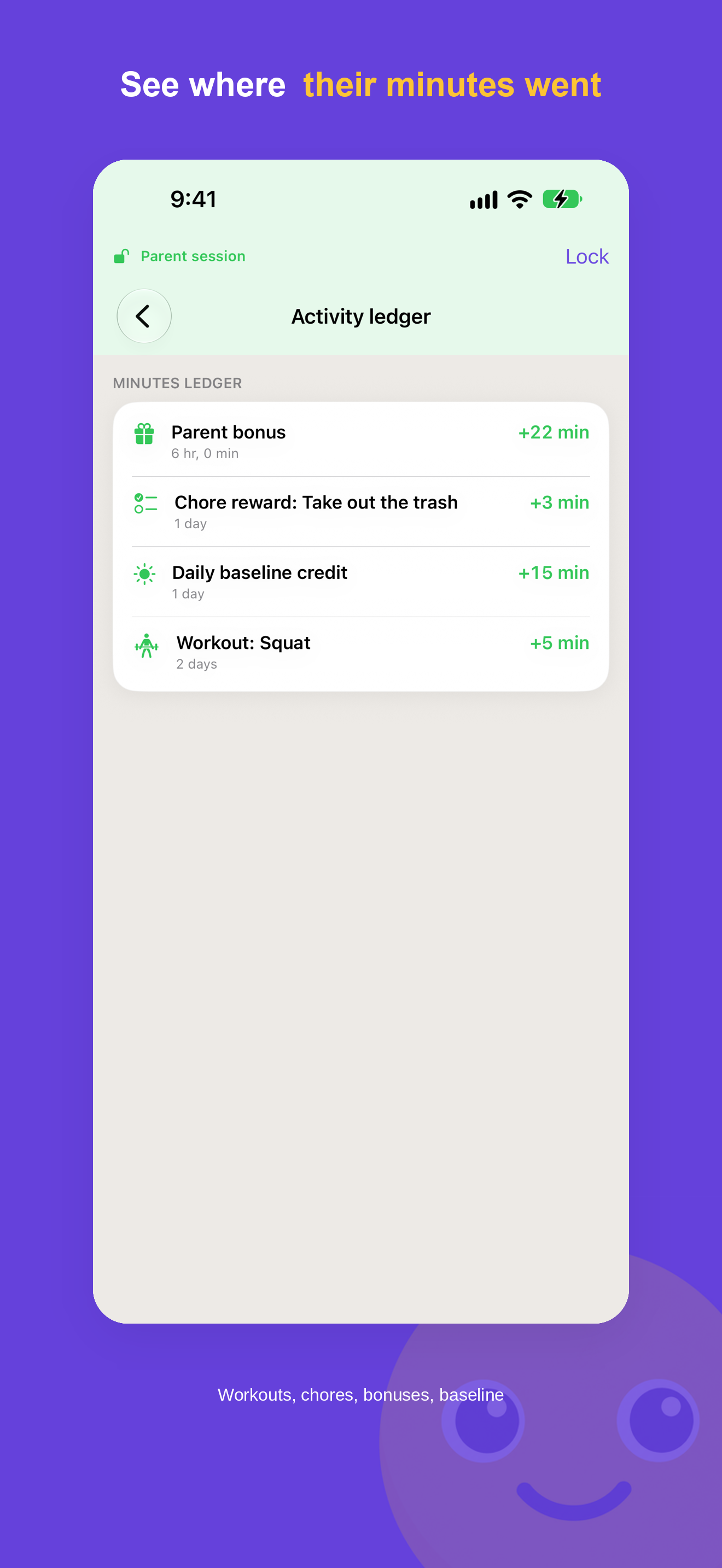
PNG, 1320 × 2868, 470 KB
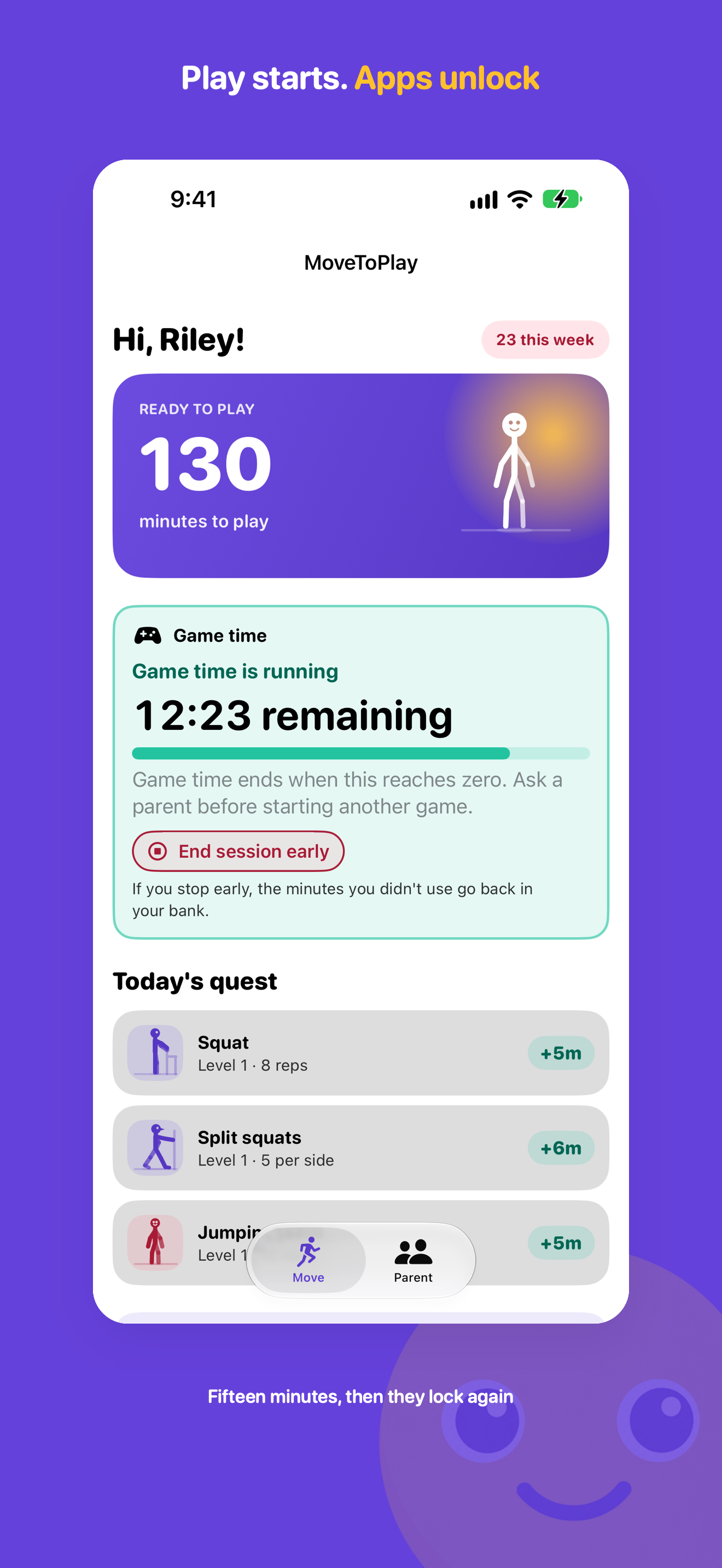
PNG, 1320 × 2868, 795 KB
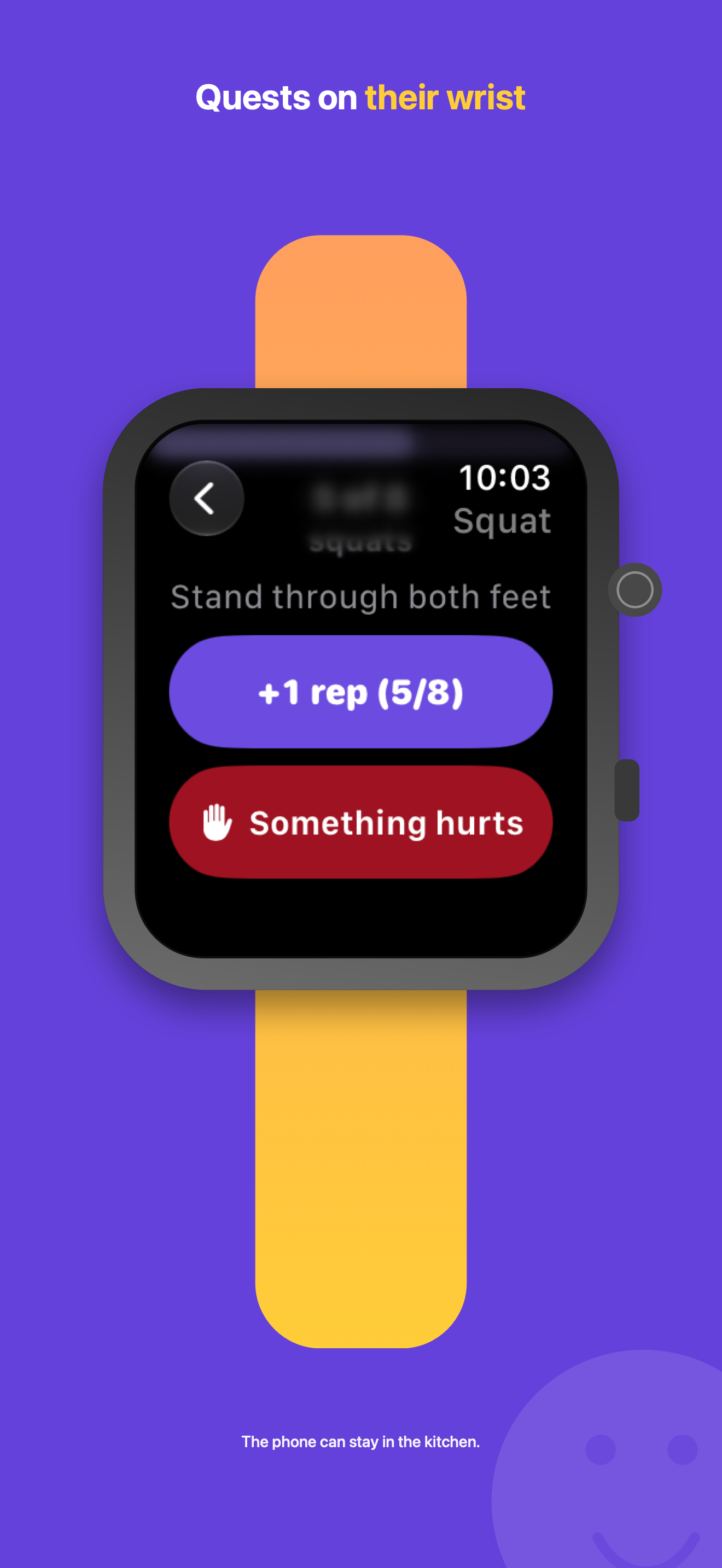
PNG, 1320 × 2868, 514 KB
Apple Watch, app icon and logo
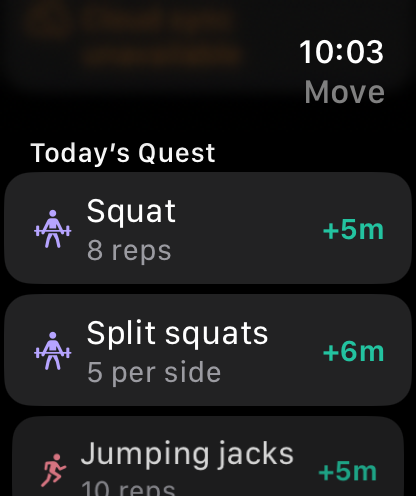
PNG, 416 × 496, 64 KB

PNG, 1024 × 1024, 948 KB

SVG, 1 KB
Not offered: photos or video of people or children, or any personal photo.
Press contact
Email press@dukeandduke.uk, or use the contact form on our support page. A person answers.
Duke & Duke