
SongShrink · Press kit
SongShrink press kit
SongShrink is an app for athletes, parents and coaches who need a song cut to a set time: a 1:30 floor routine, a 2:30 free skate, a 2:45 dance solo, a 5:00 dressage freestyle. You import a song you own, pick a time limit from the built-in list or type your own, and SongShrink listens to the music on your device, finds its beats, bars, phrases and sections, and suggests finished edits that fit the time, exactly when the music is long enough. Suggested cuts prefer a nearby bar line or beat, and joins are crossfaded, so the result still sounds like music. For a dressage freestyle, each part of the music can be matched to the horse’s walk, trot and canter. It exports an MP3, M4A or WAV named for the event, athlete and length, ready to upload. It is on the App Store now for iPhone and iPad; Mac and Android are coming soon. It needs no account, and songs never leave the device. It is free to download and try; exporting is a one-time purchase.
Downloads
- Press kit as a PDF (4 pages, 53 KB).
- iPhone screenshots (ZIP, 11 MB): the eight App Store screenshots below as PNG files, 1320 × 2868.
How it works
- Import a song you own. An MP3 or other song file, or a song bought from the iTunes Store. Songs from streaming services such as Apple Music and Spotify are copy-protected, so SongShrink can’t import or edit them; the Get Music screen shows where to buy song files that work.
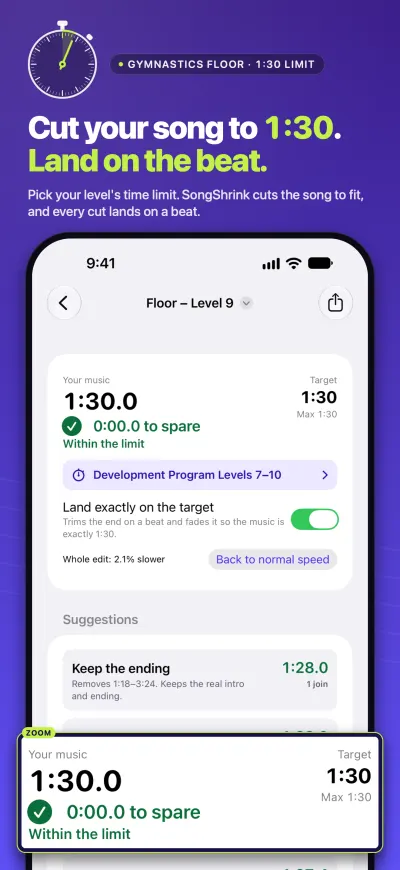
- Pick the time limit. Built-in limits include ISU and U.S. Figure Skating events, USA Gymnastics levels, and dressage freestyle windows from the FEI, British Dressage and US dressage. Or type your own limit for dance, cheer or anything else and save it.
- Choose a suggested edit. SongShrink analyses the song on the device and suggests up to four finished edits: keep the ending, most energy, smoothest joins, or fade at the time. Suggested cuts prefer a nearby bar line or beat between phrases, and joins are crossfaded by default. If the song is too short, it can repeat a section instead.
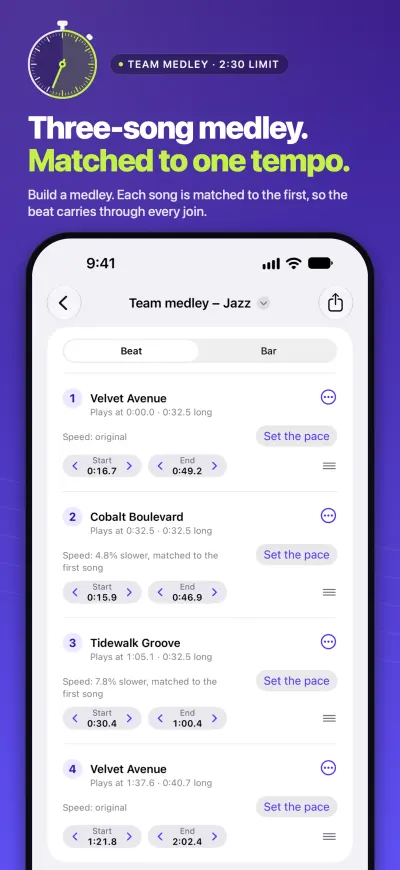
- Fine-tune. Tap sections to keep or drop them, nudge any cut by a beat or a bar, reorder, repeat or delete pieces, build a medley from several songs with the tempos matched, and undo or redo everything.
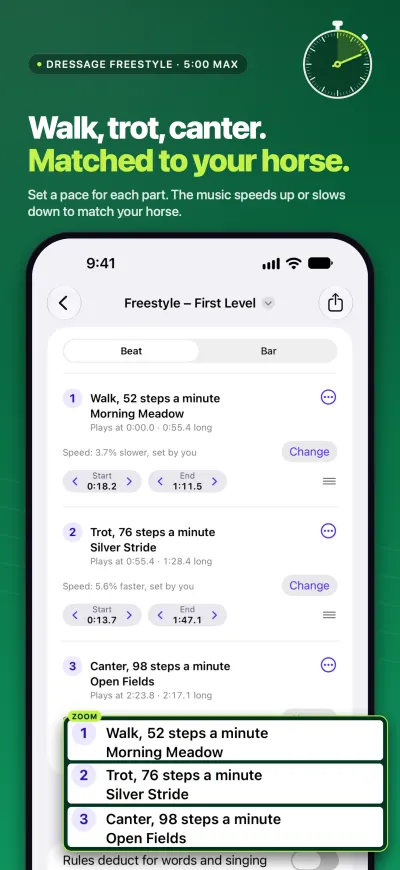
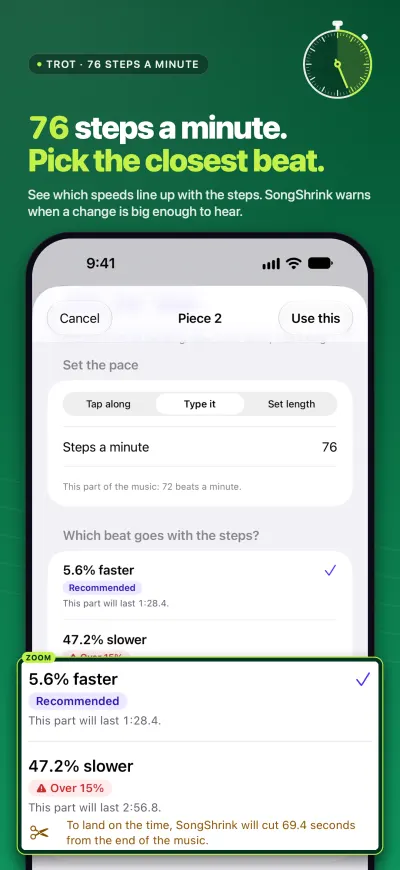
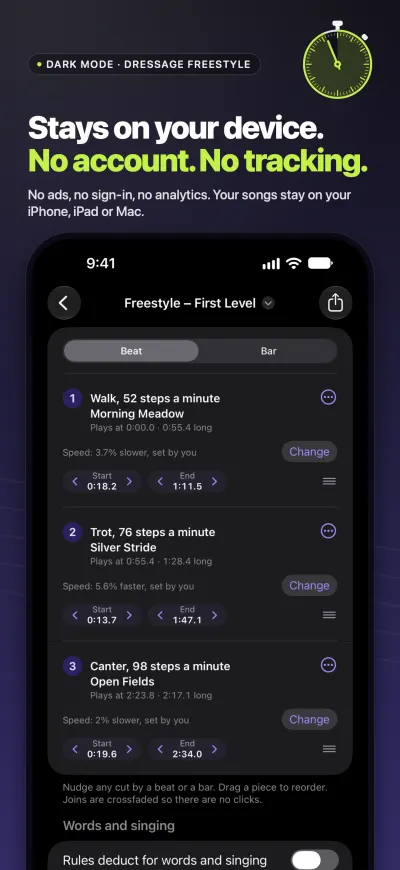
- Match the tempo. Set a pace for each part of the music: tap along with the horse’s steps, type the steps a minute, or make a part last a set time such as 0:45. SongShrink speeds that part up or slows it down, lets you name the parts Walk, Trot and Canter, and warns when a change may start to sound odd.
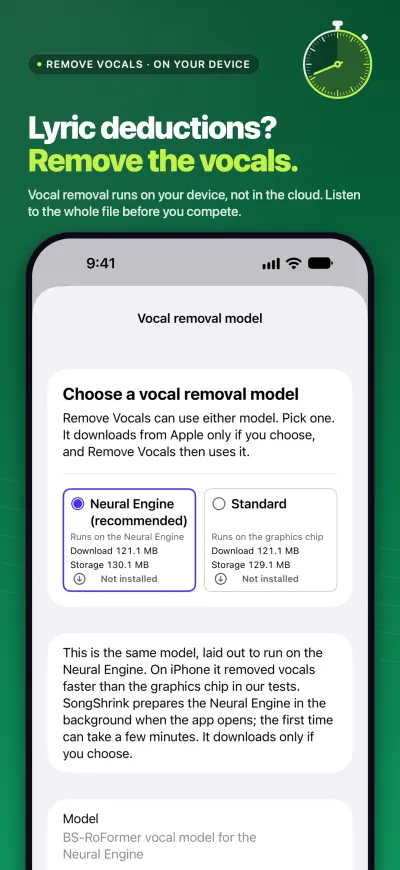
- Words and singing. Some events, such as USA Gymnastics women’s floor, deduct for lyrics, song or speech. SongShrink shows where singing remains in the edit and can remove vocals on the device with an optional download. Results vary from song to song and some singing can remain, so the app says to listen to the whole file before competing.
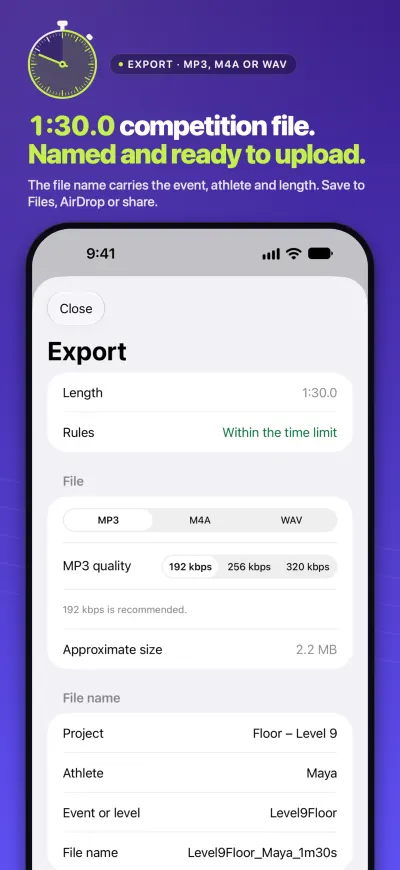
- Export. The length is shown to the tenth of a second, loudness is evened out with peaks kept safe for arena sound systems, and the file goes out as MP3 (192, 256 or 320 kbps), M4A or WAV, named with the event, athlete and length. Save it or share it.
Key facts
- Name
- SongShrink. App Store subtitle: “Fit Music to Time and Tempo”.
- Developer
- Duke & Duke, an independent software studio. dukeandduke.uk
- Category
- Music (also listed under Sports). Age rating 4+.
- Platforms
- iPhone and iPad with iOS 27 or iPadOS 27: on the App Store now. Mac with macOS 27: coming soon. Android 10 or later: coming soon to Google Play. No Windows version.
- Current version
- 1.1 on the App Store (23 October 2026).
- Languages
- English and 14 more, as listed on the App Store page.
- Price
- Free to download and try: import songs, cut them and listen to every edit. Exporting is a one-time purchase, with no subscription and no per-song fees. The App Store or Google Play shows the price in your currency before you buy. Family Sharing is included on iPhone, iPad and Mac. Google Play doesn’t share in-app purchases with a family group, so on Android each Google account needs its own unlock.
- Account
- None. No sign-in.
- Data and privacy
- App Store privacy label: Data Not Collected. No account, no ads, no analytics and no tracking; the app contains no analytics, crash-reporting or advertising code. Songs, edits and exported files stay on the device (and in the user’s own backup, if they use one). Searching the iTunes Store inside the app sends the typed words to Apple’s public search service. Purchases go through Apple or Google Play. Duke & Duke receives no data from the app. Privacy policy
- Android, when it ships
- Google’s Play Billing Library, which the app uses to check and make the one-time purchase, sends its own diagnostic logs to Google each time the app opens; Duke & Duke never receives this data. The usage reporting built into ONNX Runtime, a library the app uses for music analysis, is switched off. Songs, projects and the vocal removal model are left out of Android’s cloud backup. Time limits you save yourself may be included in the device’s backup to the user’s Google account, and Android’s phone-to-phone transfer may copy songs and projects to a new phone. Details are in the privacy policy.
- Permissions
- The app asks for music library access only if you choose a song from your device’s music library (Media & Apple Music on iPhone, iPad and Mac). Importing a song file you choose yourself needs no permission.
- Songs it reads
- Song files you own. On iPhone, iPad and Mac: MP3, AAC (M4A), FLAC, WAV and AIFF. On Android: MP3, M4A, FLAC, WAV and OGG. Not songs from streaming services, which are copy-protected.
- Exports
- MP3 at 192, 256 or 320 kbps, M4A, or WAV. The file name carries the event, athlete and length.
- Vocal removal
- An optional download that runs on the device; no audio leaves it. The model is made by ZFTurbo and released under the MIT licence: about 121 MB from Apple on iPhone, iPad and Mac, and about 120 MB from Google Play on Android.
- MP3 encoder
- LAME. Its source code is on our website.
What’s different about it
- Made for a time limit, not for audio editing. You pick a competition time limit or type one, and the app proposes whole finished edits. There is no waveform to cut by hand; to fine-tune, you tap sections to keep or drop them and nudge a cut by a beat or a bar.
- Cuts that prefer the music’s own structure. Suggested cuts prefer a nearby bar line or beat between phrases, joins are crossfaded, and if the song is too short the app can repeat a section instead.
- A set length when the music allows. The length is shown to the tenth of a second. “Land exactly on the target” trims the end and fades it, so music that is long enough ends exactly on your time.
- Per-section tempo matching for dressage. Each part of the music can be set to a pace in steps a minute (tap along, type it, or set a duration) and named Walk, Trot or Canter, and the app warns when a change may start to sound odd.
- Shows where singing remains. For events that deduct for lyrics, song or speech, the app marks where singing is left in the edit and offers on-device vocal removal as an optional download.
- Medleys with matched tempos. Several songs can be joined, with their tempos matched.
- Ready-to-upload files. Even loudness with peaks kept safe for arena sound systems, a choice of ending (the original ending, a fade, or a stop on the beat), and a file name built from the event, athlete and length.
- No account, nothing uploaded, one purchase. A one-time unlock, and the songs never leave the device.
What it doesn’t do
- It can’t use streaming songs. Songs from Apple Music, Spotify, YouTube Music and similar services are copy-protected, even when downloaded for offline listening. Users need a song file they own, such as an iTunes Store purchase or an MP3.
- Vocal removal is not perfect on every song. Results vary and some singing can remain. The app and this website both say to listen to the whole file before competing.
- A set time is only possible when the music is long enough. “Land exactly on the target” trims and fades the end; shorter music stays short unless a section is repeated.
- Cuts prefer beats and bar lines; they aren’t guaranteed on every song. The app aims for a nearby bar line or beat at a phrase edge wherever the music allows.
- Tempo changes have a range. Each part can be sped up or slowed down by up to 50% either way, and the app warns when a change may start to sound odd.
- It doesn’t know your rule book. The built-in limits are a convenience. Lyric rules differ by event. Users remain responsible for their event’s rules and for any music licences their competition requires.
- M4A length. MP3 and WAV exports are exactly the length of the edit; an M4A file can run a few hundredths of a second longer because of the way AAC files are made.
- No sync between devices and no cloud. Projects live on the device they were made on (and in the user’s own backup).
- Mac and Android are not on sale yet. Both are coming soon. On Android, vocal removal will need a phone or tablet with at least 5 GB of memory; the app says so before the download.
Links
- SongShrink on the App Store (iPhone and iPad)
- SongShrink product page
- Support and questions
- Privacy policy
- LAME MP3 encoder source code
- Google Play (Android): coming soon; the link will be added here.
Screenshots
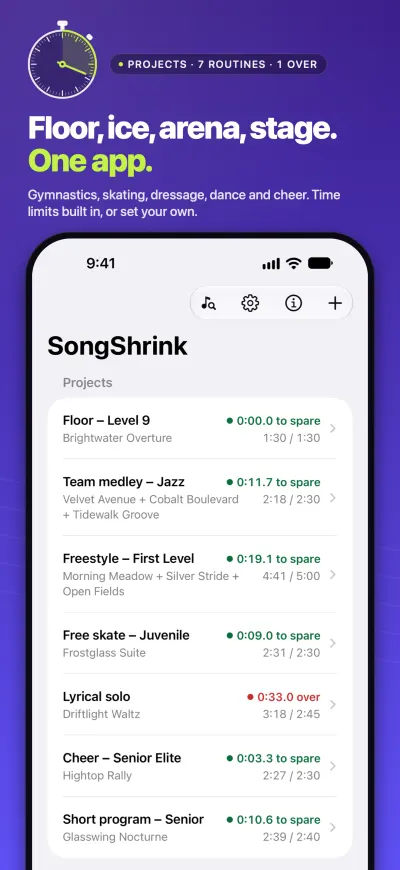
The eight iPhone screenshots from the App Store page, in the same order. They show invented song titles and one made-up athlete name, “Maya”. None shows a real person, a price, a rating or an award. The full-size files (PNG, 1320 × 2868) are in the screenshot ZIP.
Not offered: photos or video of people. Mac and Android screenshots will be added when those versions are on sale.
Press contact
Email press@dukeandduke.uk, or use the contact form on our support page.
Duke & Duke